
Have you ever dreamed of transforming your game world into a glamorous virtual fashion runway where your characters strut in jaw-dropping outfits? Whether you’re playing Dress to Impress on Roblox, building in The Sims, or crafting custom levels in a sandbox game, creating your own fashion show stage is easier than you think! This guide will show you exactly how to create a fashion runway in your game—from initial concept to final walk—so you can host dazzling fashion events, capture stunning screenshots, and level up your in-game style. No professional design skills needed! We’ll cover practical building steps, lighting tricks, character styling, and interactive features that work across popular dress-up games, building sandboxes, and even mod-friendly platforms. Get ready to turn any corner of your game into a spotlight-worthy catwalk where fashion dreams come to life. ✨
Plan Your Fashion Runway Concept
Before placing a single prop or adjusting a pixel, your runway needs a strong concept. Just like real fashion shows thrive on cohesive storytelling, your in-game runway design should reflect a clear theme that ties everything together. Ask yourself: What story does my runway tell? Is it a high-fashion Parisian gala? A neon-lit cyberpunk street battle? Or a whimsical fairy garden showcase? Your theme dictates every design choice—from color palettes to crowd reactions.
Start by defining your fashion event gameplay purpose. Will this runway host solo outfit photoshoots, competitive fashion battle challenges with friends, or seasonal community events? As emrgmedia.com emphasizes, “A fashion show’s success hinges on the experts you hire and the operational details you manage.” In gaming terms, this means knowing your goals upfront: Is it for personal screenshots, multiplayer competitions, or user-generated content sharing? For example, a multiplayer fashion event needs wider catwalks and clear audience zones, while a solo photoshoot runway prioritizes camera angles and lighting precision.
Next, craft your aesthetic blueprint:
- Color palette: Choose 2–3 dominant colors (e.g., black/gold for luxury, pastels for kawaii, electric blue for futuristic).
- Mood: Glamorous (think chandeliers and velvet), edgy (exposed steel and lasers), or playful (giant bows and confetti cannons).
- Narrative hook: “Underwater couture” with coral props and bubble effects, or “royal rebellion” mixing crowns with streetwear.
This foundation prevents a cluttered build and ensures your runway lighting and effects complement—not clash with—your outfits. As sereneandspace.com notes, thematic backdrops like geometric installations or floral arrangements create “a cohesive narrative that elevates the showcased fashion.” Your game runway isn’t just a stage—it’s the story behind every strut.
Choose the Perfect Location in Your Game
Location makes or breaks your fashion show stage in games. You need a space that feels intentional, not accidental. Avoid cramming your runway into a cramped hallway or generic plaza—it should feel like a destination. Consider these iconic spots across popular games:
- Luxury venues: An empty ballroom in The Sims (perfect for repurposing with the Stage Tool from Open for Business), a high-end boutique corner in Dress to Impress, or a floating island in Roblox building games.
- Unexpected stages: Rooftops with city skylines (ideal for sunset shots), forest clearings with fairy lights, or even underwater arenas with bubble effects.
- Functional zones: Ensure your spot has:
- A flat, elongated space (minimum 15–20 tiles long for smooth walking animations).
- Room for audience and NPC crowd design (seating or standing areas without obstructing views).
- Backstage access—a hidden nook for outfit changes, like a curtained alcove or adjacent room.
- Camera sightlines where players can capture full-body shots without clipping through walls.
In sandbox games like Minecraft or Roblox, prioritize large, empty plots you can terraform. As modthesims.info demonstrates, start with “a big ol’ box on your empty lot” to define boundaries. For dress-up games like Dress to Impress, repurpose existing spaces: the salon area becomes backstage, while the main floor transforms into your catwalk. Crucially, connect your runway to relevant game zones—like placing it near a virtual closet or accessory shop—so players seamlessly transition from styling to strutting. Remember: great environment and level design makes the runway feel like a natural part of your game world, not a tacked-on feature.
Design the Runway Layout Step by Step
Step 1 – Sketch the Runway Shape
Your runway’s shape sets the tone. Common layouts include:
- Straight catwalk: Simple and classic (ideal for small spaces). Works great in The Sims or Roblox.
- T-shaped runway: Adds drama with a turning point for poses (perfect for screenshots). As modthesims.info shows, trace “over that box on the second floor” to extend platforms.
- Circular/U-shaped: Engages audiences from all angles (great for multiplayer events).
Choose based on space and purpose: Solo photoshoots suit straight runways, while competitive fashion battle events need T-shapes for dynamic posing.
Step 2 – Build the Catwalk Platform
Create a raised platform 1–2 blocks high using contrasting materials:
- In Minecraft: Use white concrete or quartz for a clean look.
- In Roblox: Try smooth, reflective surfaces like “Ice” material.
- In The Sims: The Open for Business “stage tool” creates seamless runways (start “in the little corner made by your wall pieces,” as noted in the modthesims.info tutorial).
Add subtle edges (e.g., gold trim in Roblox or rope lights in The Sims) to define boundaries without distracting from outfits.
Step 3 – Add Entrance and Exit Points
Make entries memorable! Place:
- A backstage door (use curtains, archways, or glowing portals).
- Stairs or ramps for smooth transitions (avoid steep drops that cause animation glitches).
- “Spawn zones” where characters materialize (in Dress to Impress, this is the salon entrance).
Pro tip: In Roblox, use invisible platforms at entrances to trigger walk-cycle animations automatically.
Step 4 – Plan the Audience Area
Audiences frame your runway—don’t neglect them!
- Seating: Arrange benches, chairs, or tiered stands (leave 5+ tiles between runway and front row for camera space).
- NPCs: Use game mannequins, dolls, or custom NPCs as spectators. In The Sims, place seated sims facing the runway; in Dress to Impress, VIP members can “watch” from salon chairs.
- Crowd density: Sparse seating for high-fashion elegance, packed stands for energetic battles.
Ensure audience props don’t block outfit details—keep them low-profile or slightly dimmed.
Step 5 – Leave Room for Backstage
Even if purely decorative, a backstage zone boosts immersion:
- Outfit prep area: Place mirrors, clothing racks (like Dress to Impress’ VIP room), or mannequins.
- “Green room”: Add comfy chairs and mood lighting for pre-show nerves.
- Storage: Hide extra props behind curtains or in adjacent rooms.
As angelinaallsop.com advises, transforming “your living room into a glammed-up runway” requires dedicated prep space—apply this to games too!
Lighting, Effects, and Atmosphere
Lighting makes or breaks your runway lighting and effects. Poor lighting hides fabric textures and color details, while great lighting turns basic outfits into masterpieces. Follow these pillars:
Runway Lighting
- Primary lights: Place bright, even spotlights along the catwalk (use directional lights in Roblox or stage lights in The Sims). Avoid harsh shadows by positioning lights at 45-degree angles.
- Highlight zones: Add intense spotlights at the runway’s end for “money poses” (critical for camera angles and screenshots).
- Color temperature: Warm tones (2700K–3000K) for vintage/glamour; cool tones (5000K+) for futuristic themes.
Ambient Lighting and Background
- Audience dimming: Reduce light intensity behind the runway to keep focus on models. In The Sims, use “dimmer switches” on wall sconces.
- Background accents: Frame the stage with LED strips, neon signs, or floating orbs (e.g., sereneandspace.com suggests “geometric wall art decor” to set the tone).
Special Effects
- Subtle enhancements: Confetti cannons for finale moments, gentle fog for mystery, or particle “sparkles” for magical themes.
- Performance tip: Limit heavy effects (like lasers) to key moments—they can cause lag during fashion mini-games. Test on lower-end devices!
Sound and Music
- Curate playlists: Upbeat pop for streetwear battles, orchestral for royal themes. Dress to Impress players know music sets the walk’s rhythm!
- Ambient sounds: Add crowd murmurs or footstep echoes if your game supports audio props.
💡 Pro Tip: In The Sims, use “Object Hiding Off” in graphics settings to display multi-level lighting (as per modthesims.info).
Style Your Characters for the Catwalk
Your runway exists to showcase fashion—so styling is non-negotiable! Follow these character customization and styling best practices:
Build Cohesive Outfit Themes
Match outfits to your runway’s narrative. Examples:
- Cyberpunk streetwear: Neon crop tops, holographic pants, LED accessories.
- Royal rebellion: Tuxedo jackets over ripped jeans, crown hairpins.
- Nature couture: Floral-print dresses with vine headpieces (inspired by sereneandspace.com’s “seasonal floral arrangements”).
Balance statement pieces (e.g., a dramatic cape) with simple bases to avoid visual chaos. In Dress to Impress, pinewizards.com stresses layering as a “pro tip”—try corsets over dresses or multiple skirts for custom silhouettes.
Use Hair, Makeup, and Accessories
- Hair: Avoid styles that cover shoulders or necklines (e.g., oversized buns over crop tops). Use game tools to adjust gravity/spray.
- Makeup: Bold eyeshadow for dim runways; natural tones for bright stages.
- Accessories: Hats, bags, or props (like Dress to Impress’ bouquets) add personality—but check for clipping glitches!
Animations, Poses, and Walk Cycles
- Walk cycles: Use confident, rhythmic animations (in Roblox, search “runway walk” animations).
- Poses: Save 2–3 end-of-runway stances for screenshots (one hand on hip, dramatic turn).
- Test rigorously: Walk in full outfit to spot awkward clipping (e.g., skirts through legs).
✨ Key Insight: As pinewizards.com notes, “Being creative or making a ‘funny’ reference often earns more votes”—apply this to games by encouraging playful styling!
Add Interactive Features and Fashion Events
Transform static runways into interactive runway features that keep players returning:
Fashion Challenges
Host weekly themed events:
- “Monochrome Monday”: All-black or all-white outfits.
- “Seasonal Showcase”: Winter holiday sweaters or summer festival looks.
- “Budget Battle”: Best outfit under 50 in-game coins.
Scoring and Voting Systems
- Use in-game polls (e.g., Roblox’s button system) for audience votes.
- Award titles like “Top Model” or virtual trophies (as in Dress to Impress).
Photo and Video Sessions
- Design “photo zones” with optimal lighting for screenshots.
- Experiment with angles: Low to emphasize height, high for full-outfit views.
Seasonal Rotations
Refresh your runway monthly:
- Halloween: Fog machines, cobweb props.
- Valentine’s Day: Heart-shaped arches, red carpet.
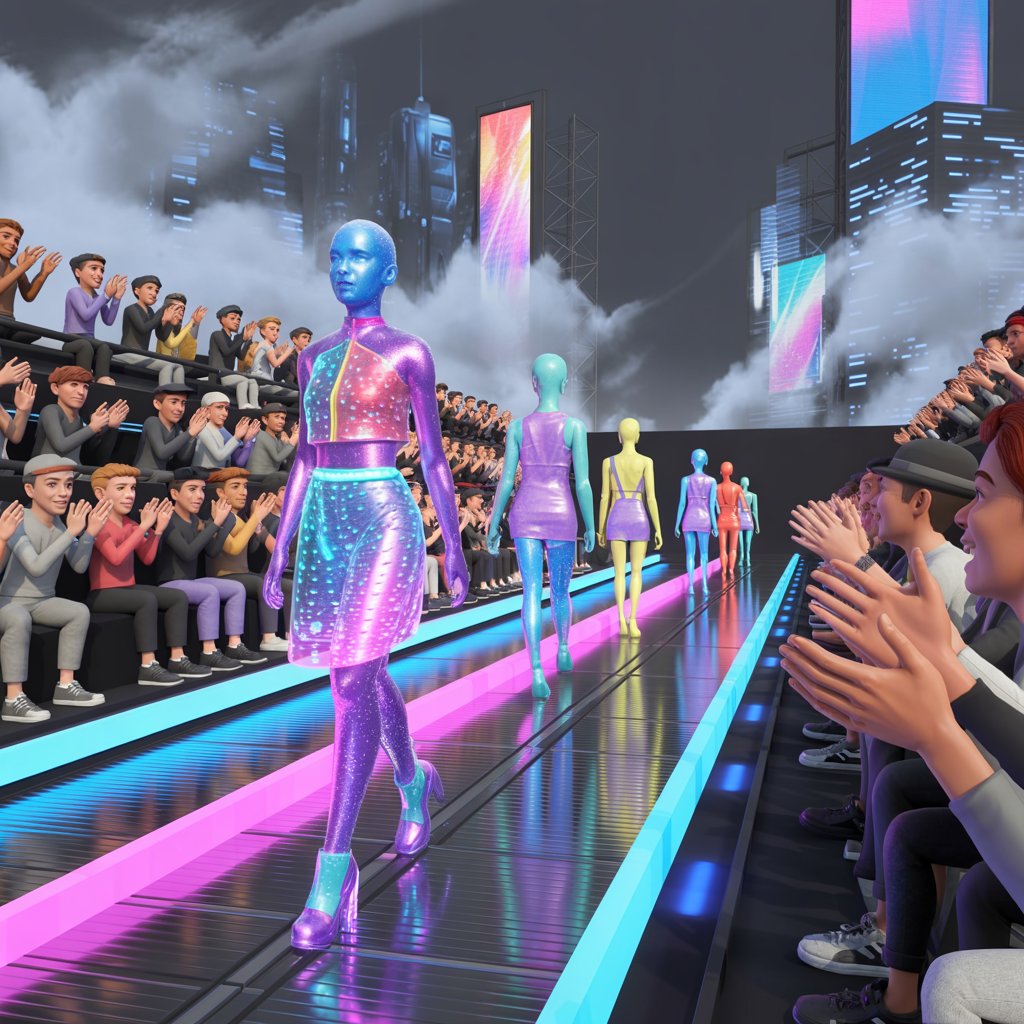
- Futuristic Fashion Week: Holographic projectors, LED floor panels.
This aligns with angelinaallsop.com’s advice to “rotate runway themes with seasons” for lasting engagement.
Optimize for Player Experience and Performance
A stunning runway is useless if it lags or confuses players. Prioritize player experience and immersion:
- Performance: Limit high-poly props (e.g., use 2–3 detailed arches instead of 10). Test on mobile devices if your game supports them.
- Navigation: Add subtle path markers (e.g., glowing tiles on the catwalk). Keep audience areas clearly separated.
- Inclusivity: Ensure all character types (different sizes, species) can walk the runway. Add “observer mode” for shy players.
- Playtesting: Invite 2–3 friends to test flow. Ask: “Where did you get stuck? What distracted from the outfits?”
Remember: Great game fashion challenges balance beauty with functionality. As emrgmedia.com states, “Flawless technical execution is what makes a show feel polished.”
Examples and Creative Runway Ideas
Stuck for inspiration? Try these runway props and decorations:
Click for 4 show-stopping concepts
- Galaxy Catwalk: A floating runway over stars with glowing blue floor panels (use
nebulatextures inRoblox). - Enchanted Garden: Surrounded by giant flowers and waterfalls—add floating fireflies for magic (inspired by [sereneandspace.com](https://sereneandspace.com/blog/runway-stage-designs/)’s floral guides).
- Cyberpunk Alley: Neon signs, holographic billboards, and rain effects (perfect for
fashion battleevents). - Royal Palace Hall: Chandeliers, red velvet ropes, and golden arches (ideal for
dress-up and styling games).
Mix themes freely—your “royal cyberpunk” runway could feature crowns with LED edges! Use your game’s tools creatively: In The Sims, repurpose pool tiles as reflective runway surfaces; in Roblox, use particle emitters for “magic dust” trails.
Conclusion
Creating a fashion runway in your game is all about blending vision with practicality. Start by planning your theme and location, then build your layout step by step—remembering that lighting and character styling make or break the magic. Add interactive challenges to turn static stages into vibrant fashion event gameplay, and always optimize for smooth performance. Whether you’re crafting a mini-runway in Dress to Impress or modding a custom catwalk in The Sims, your virtual fashion show is a canvas for creativity. Don’t aim for perfection on day one; begin with a simple straight runway, host a quick outfit showcase, and iterate as you unlock new items. The most important step? Start building today. Share your first runway screenshots with friends using #MyGameRunway—you might just inspire the next big trend in user-generated content and fashion shows. Now go make those pixels strut! 👠